
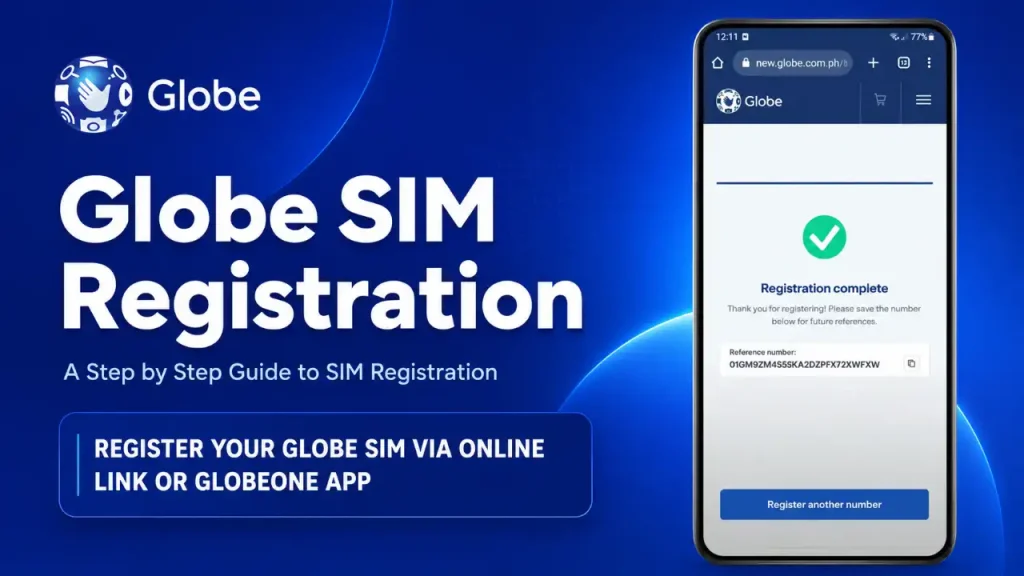
Globe SIM Registration is a mandatory process for all Globe users in the Philippines. This process aims to secure mobile communications and prevent fraud. Under the SIM Registration Act (Republic Act 11934), every mobile user must register their SIM card with valid identification to continue enjoying Globe’s services. It also provides uninterrupted access to calls, texts, data, and financial services like GCash.

With over 63 million Globe users in the Philippines, everyone must register their SIM cards. Registering your Globe SIM is essential for protecting your personal information. It helps prevent identity theft and fraud by ensuring that each SIM card is linked to a verified individual. This added layer of security makes it more difficult for criminals to misuse your mobile number for illegal activities, safeguarding both your financial and personal data.
Who Needs to Register a Globe SIM in 2026?
All local and foreign users, businesses, and organizations must register SIMs purchased in the Philippines. This covers physical SIMs and eSIMs used in phones, modems, Prepaid WiFi kits, and other connected devices.
Globe Prepaid, Postpaid and Platinum Users
- Prepaid: Register before activation or the expiry date printed on the SIM packaging.
- Postpaid: Globe already has your details but may contact you for confirmation or updates.
- Platinum: Confirm your existing details when requested by Globe.
- LTE@Home and Business Postpaid: Follow Globe’s account-specific verification instructions.
Minors, Seniors and Persons with Disabilities
- Minors: Register under a parent or legal guardian using the adult’s valid ID.
- Seniors: Complete the standard process or request help at a Globe Store.
- PWDs: Follow the same requirements or seek assistance from Globe staff.
Requirements for Globe SIM Registration
To successfully register your Globe SIM, you need to provide certain personal information and official documents for identity verification. Below are the key requirements needed for the registration process:
Requirements for New Subscribers
New Globe SIM subscribers need to provide specific information to complete their registration. Here’s what you’ll need:
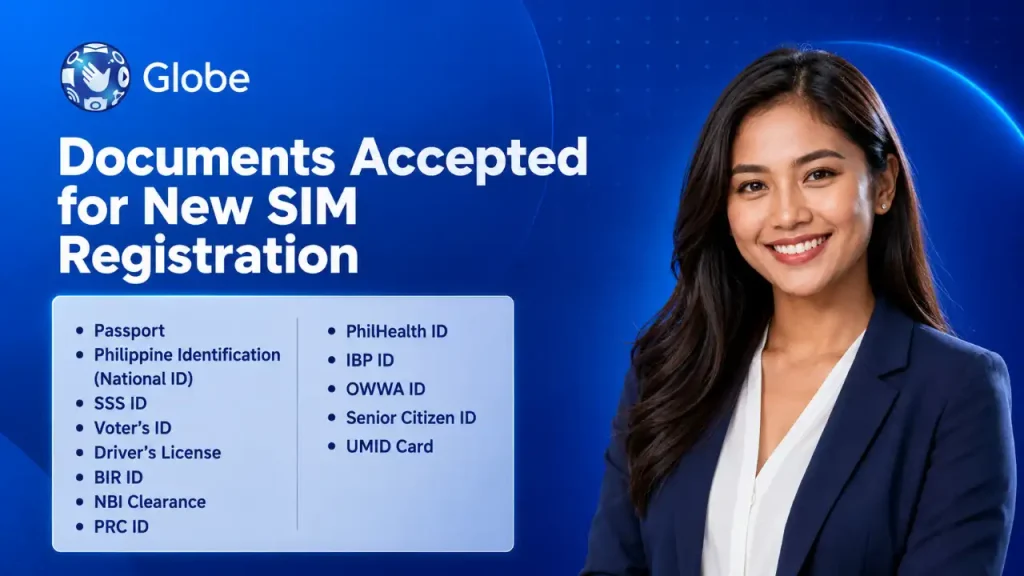
Accepted Documents for New Sim Registration
When registering a new Globe SIM, you must submit a valid government-issued ID for identity verification. Below is a list of accepted documents you can use to complete your SIM registration:
Rules for Existing Users
Existing Globe SIM users must register their SIM cards to continue using their mobile services. Here are the key rules:
- Registration Deadline: Complete the registration by the specified deadline to avoid service disruptions.
- Accurate Information: Provide current personal details and ensure all information matches your ID.
- Verification: Upload a valid government-issued ID and a clear selfie.
- OTP Confirmation: Enter the one-time password (OTP) sent to your registered mobile number to finalize the process.
- Service Suspension: Failure to register by the deadline may result in temporary or permanent suspension of your mobile services.
Globe SIM Registration Online 2026 Via Web Portal
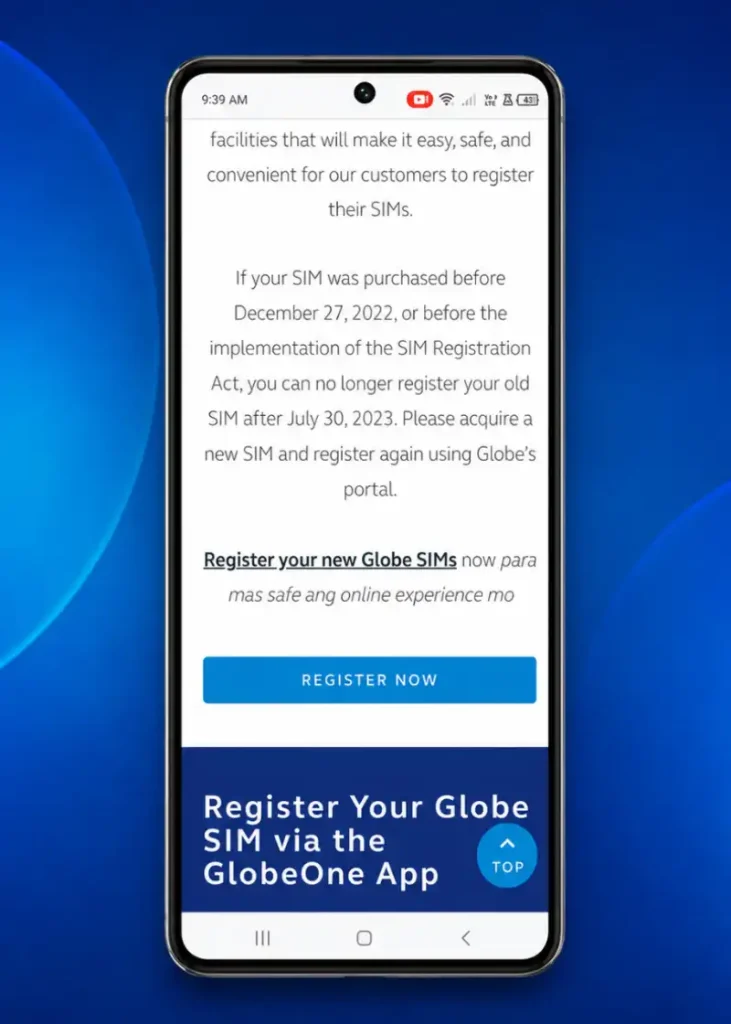
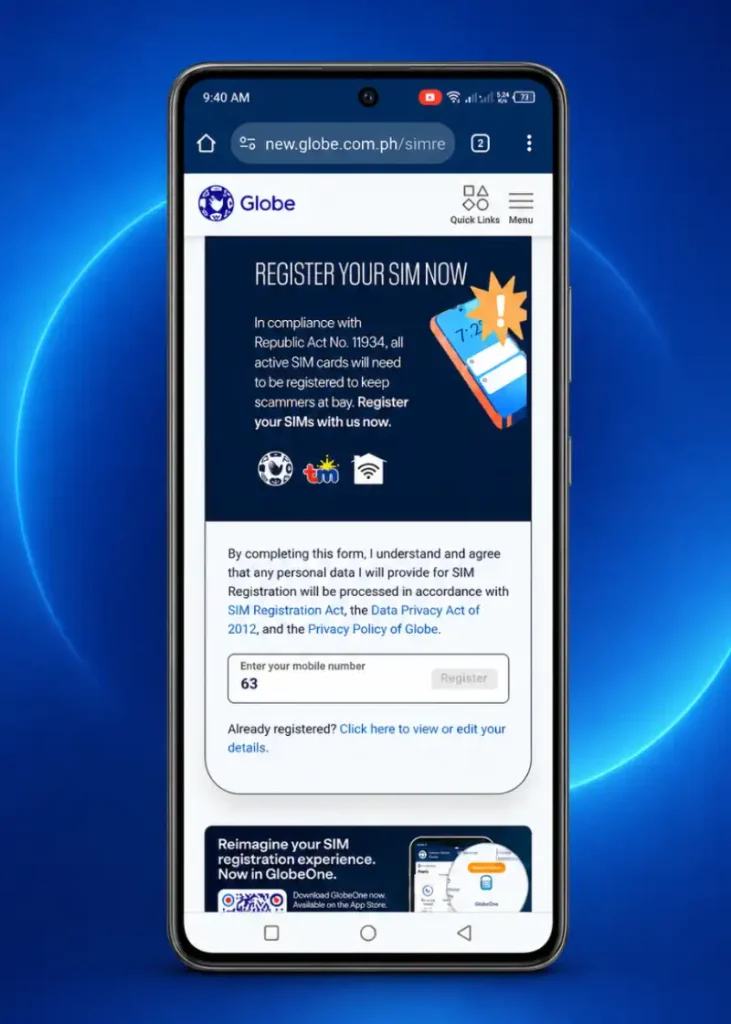
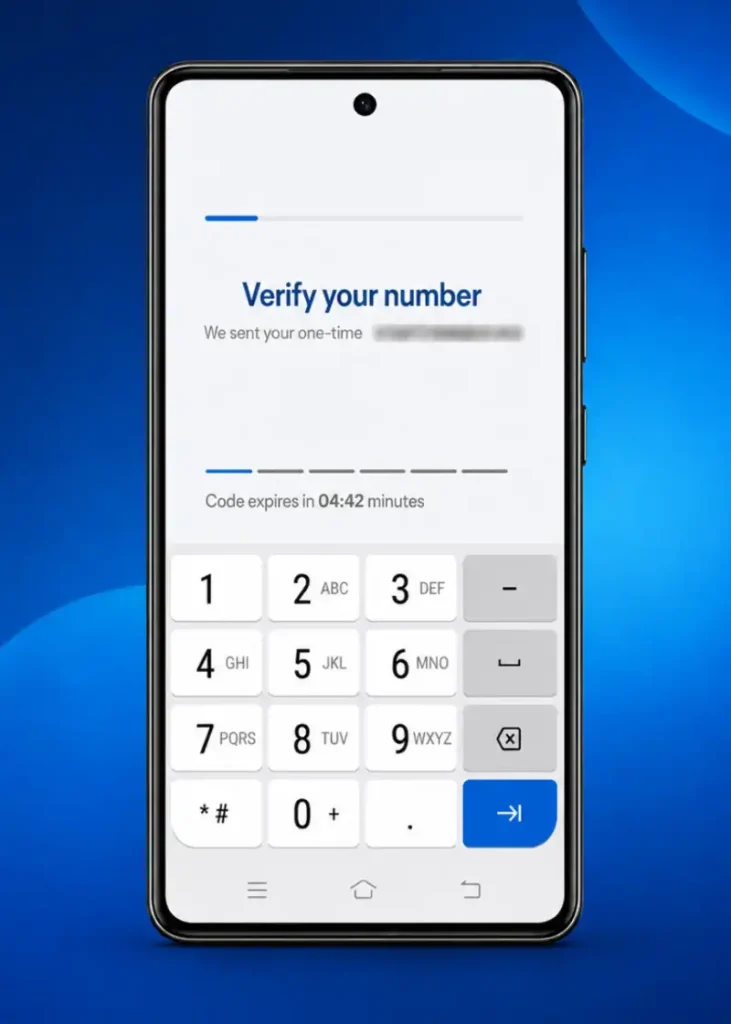
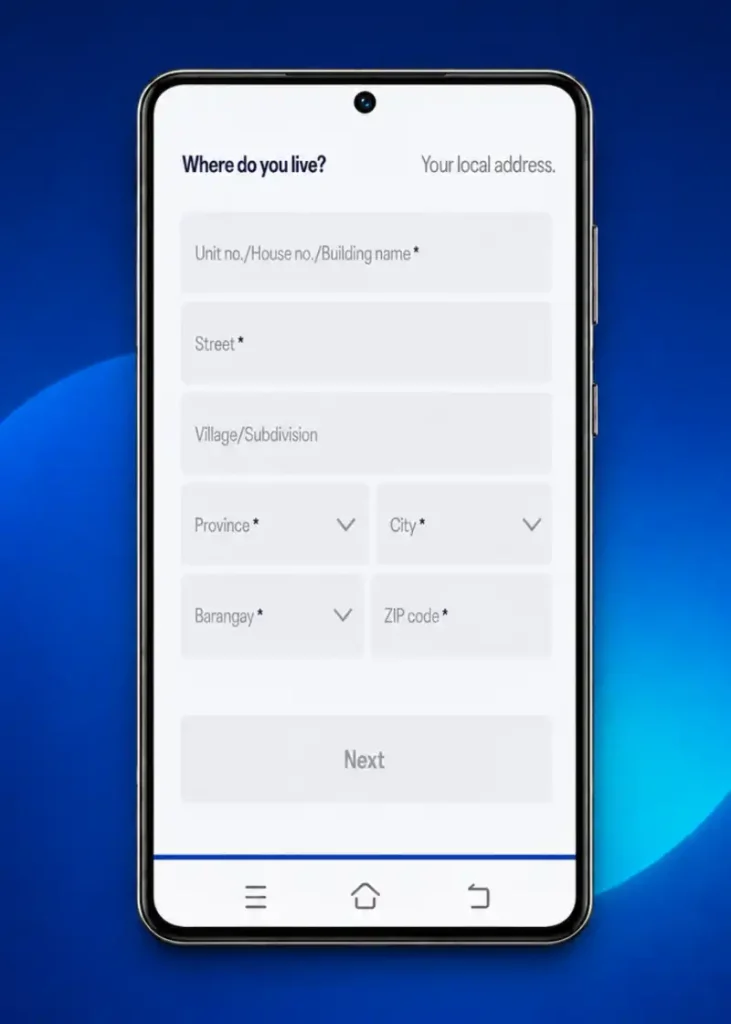
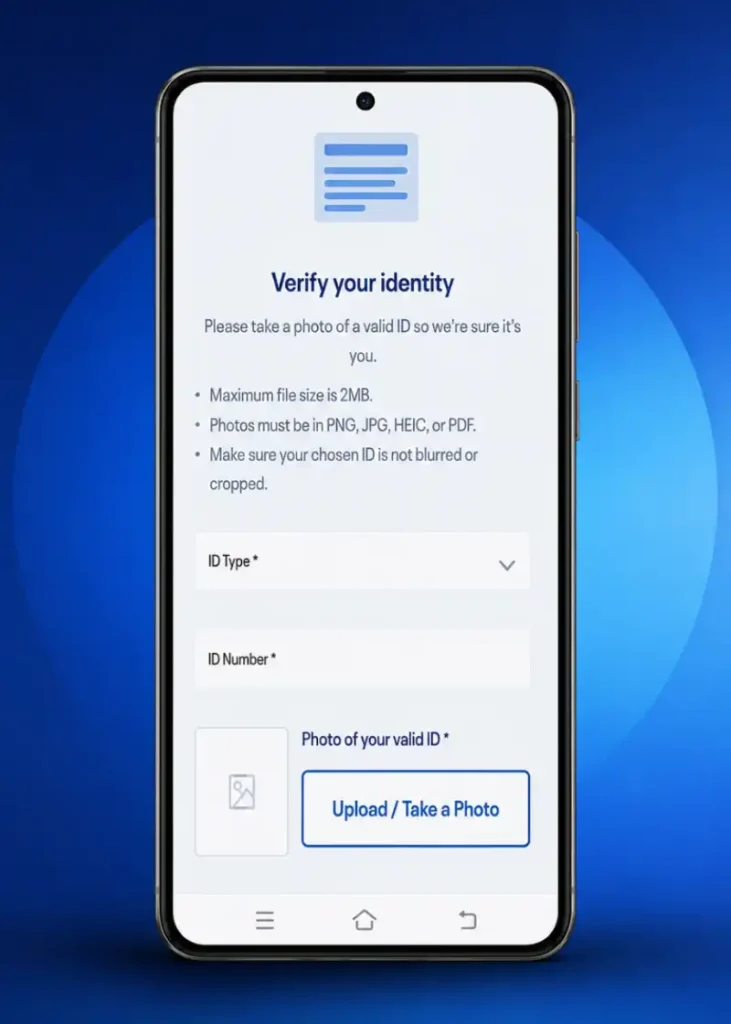
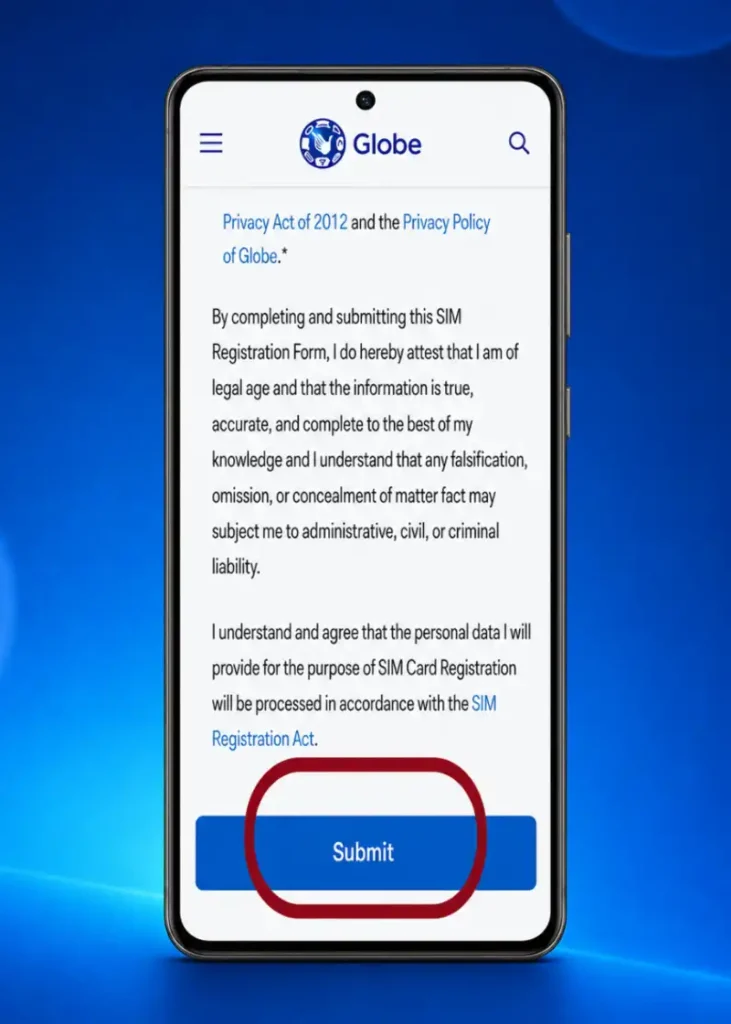
Registering your Globe SIM is a straightforward process that ensures compliance and security. Here’s how to complete your registration:
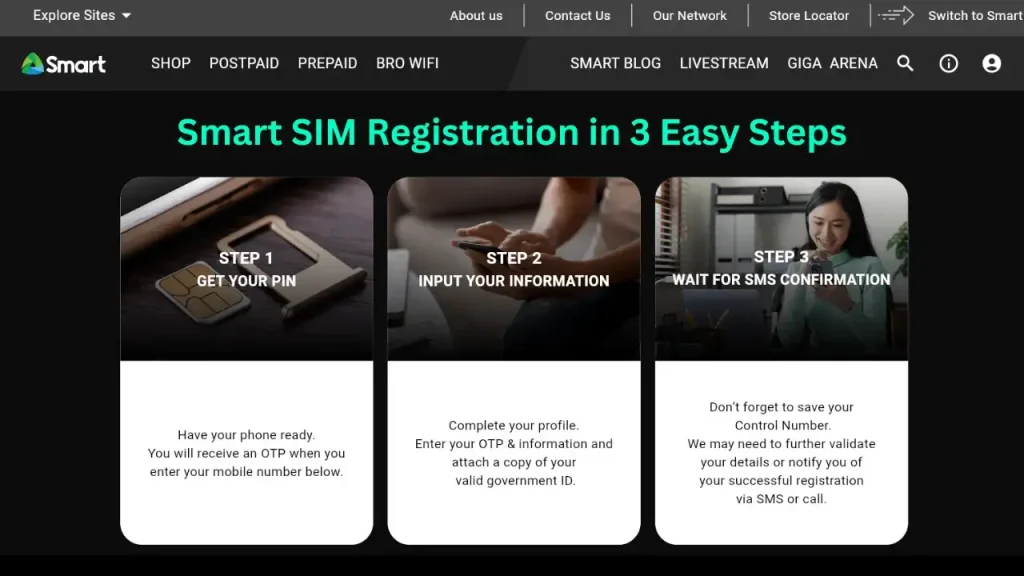
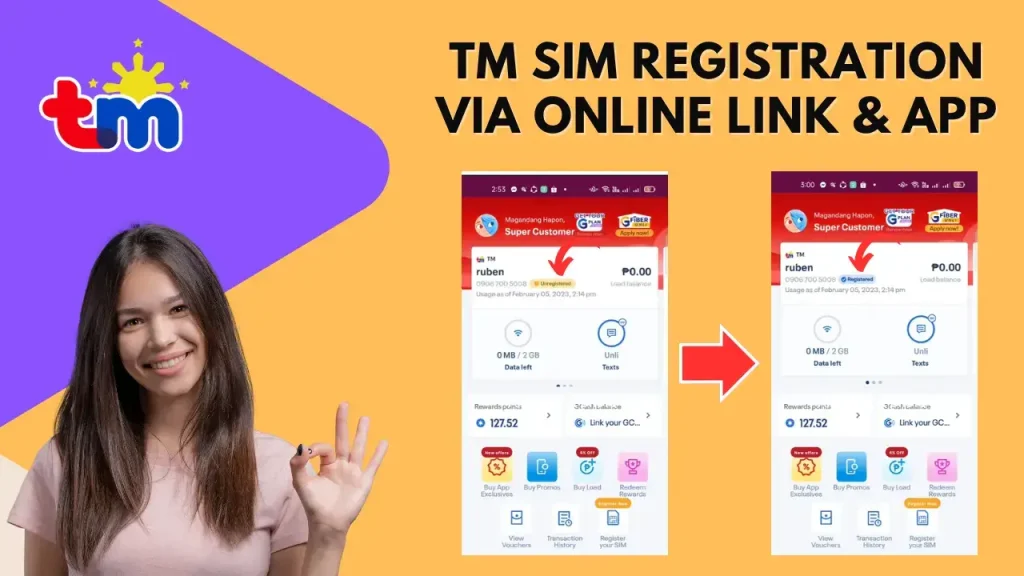
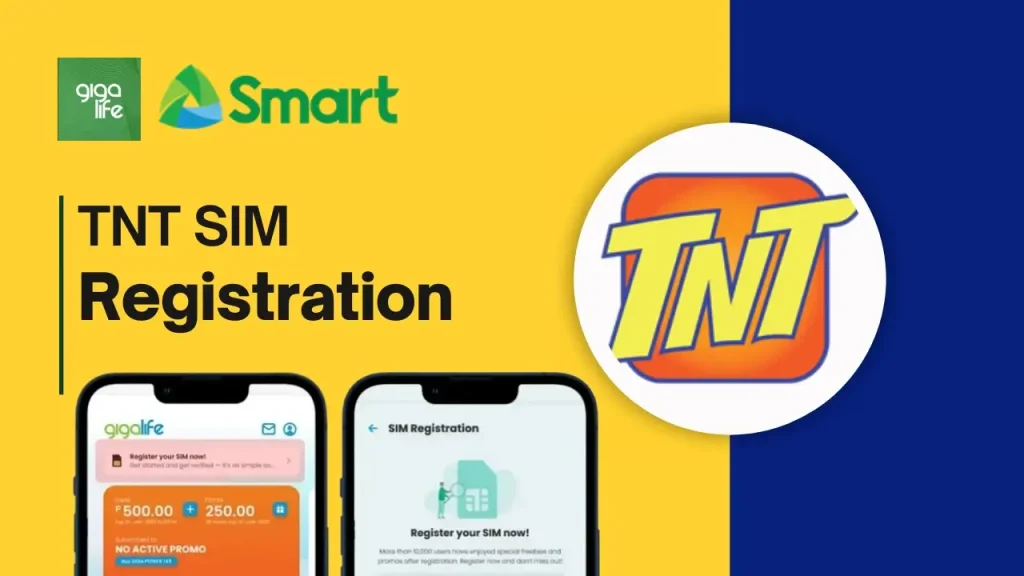
Registration Process of Other SIMs in the Philippines

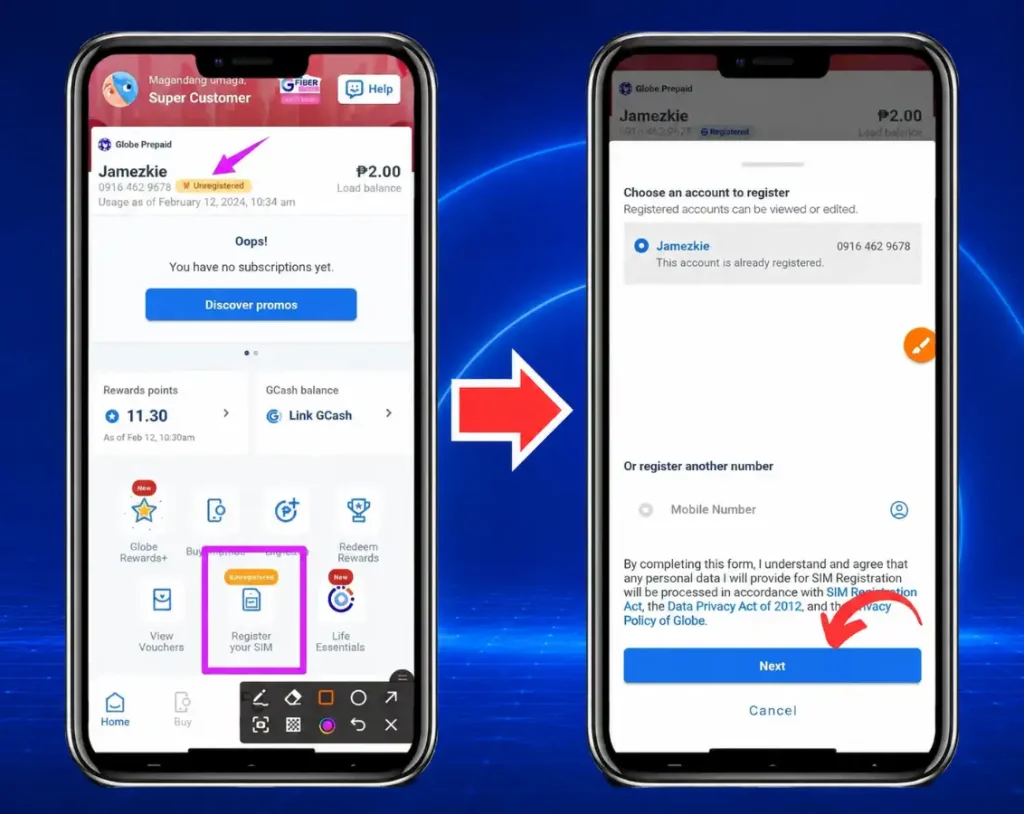
Registration Via GlobeOne App (Step-by-Step Guide)
Registering your Globe SIM via the GlobeOne app is quick and convenient. Follow the steps below to complete the registration process seamlessly through the app:
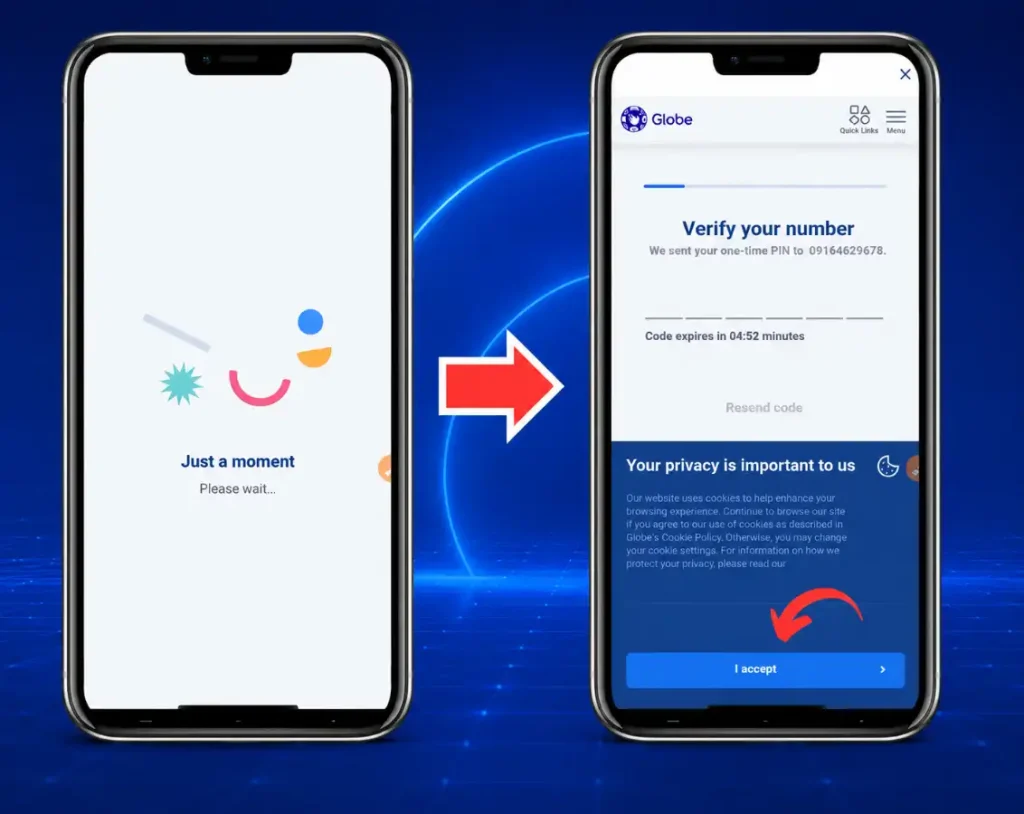
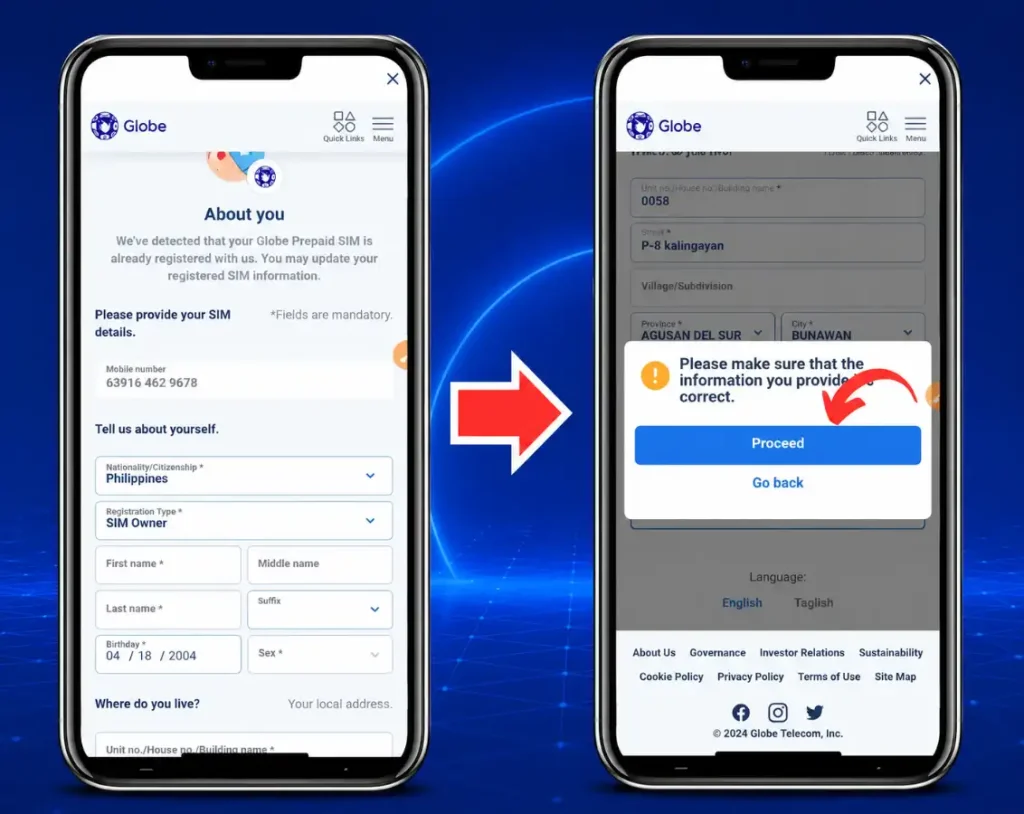
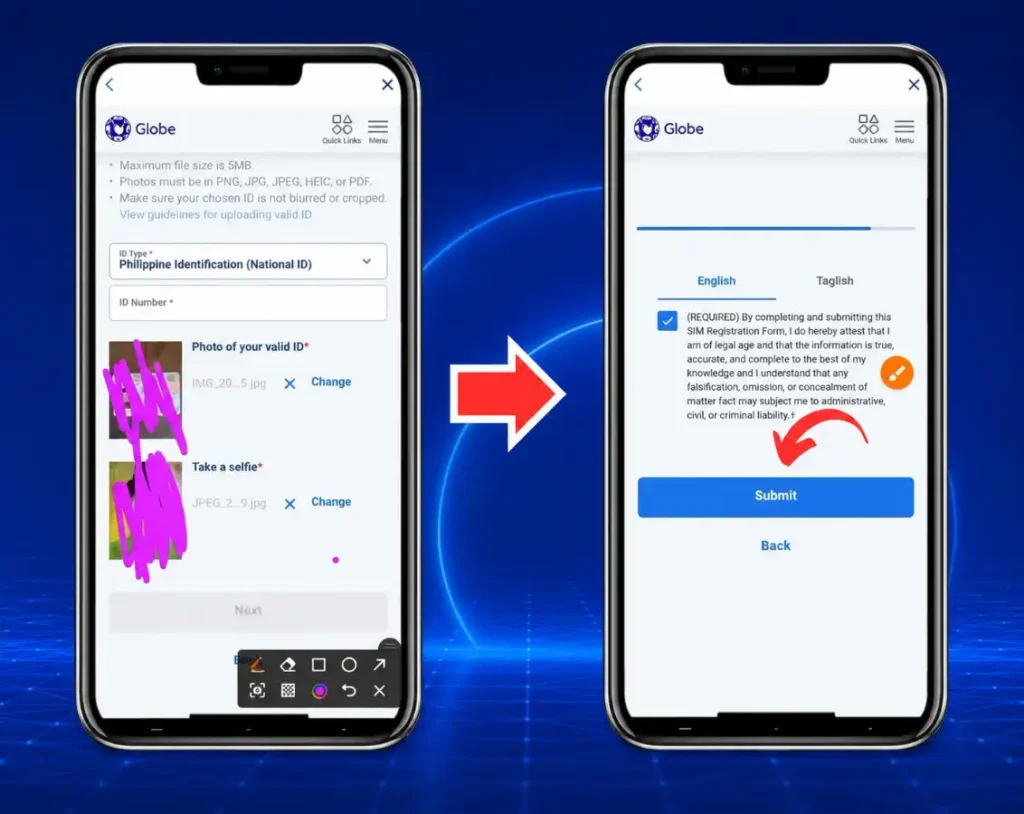
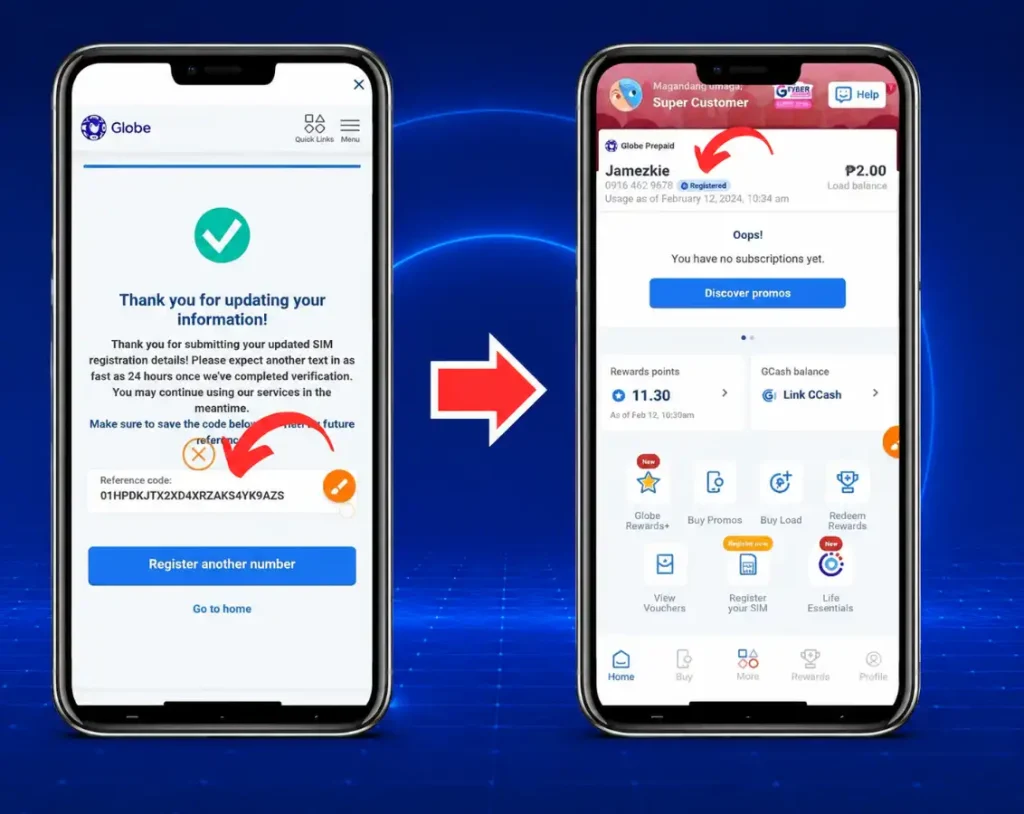
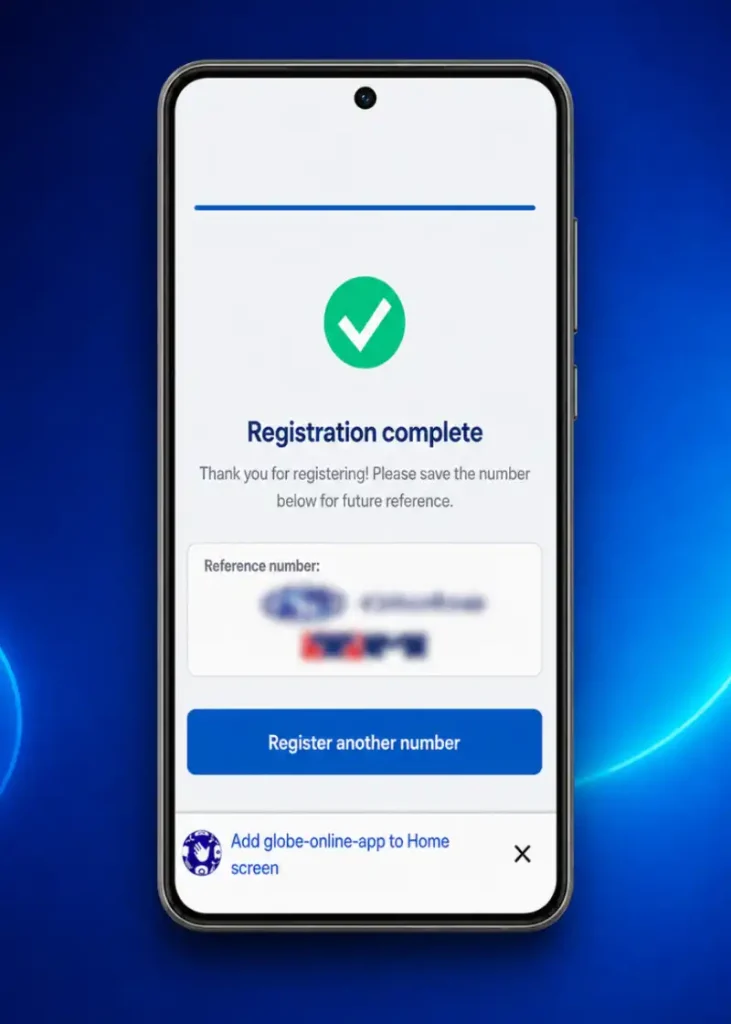
Note: Be sure to take a screenshot of the “Reference Code” displayed at the end.
How to Activate a Globe SIM After Registration
Once registration is confirmed, follow these steps to activate and test your Globe SIM:
- Insert the SIM: Turn off your phone, place the Globe SIM correctly in the SIM tray, and switch the device back on.
- Wait for the Globe signal: Allow the phone a few moments to connect. Make sure Airplane Mode is disabled.
- Check the confirmation: Look for Globe’s successful registration message or verify the status through the GlobeOne App.
- Restart your device: Restarting refreshes the network connection and may complete the activation process.
- Test the SIM: Make a call, send a text message, or turn on mobile data to confirm that the services work.
- Get activation help: If the SIM remains inactive, contact Globe through its official support channels or visit a Globe Store.
Globe Postpaid and Platinum SIM Registration
Globe usually has the information of Postpaid and Platinum subscribers from their account applications. Follow these steps to confirm your registration:
- Check Globe’s message: Wait for an official SMS asking you to confirm your registration details.
- Review your information: Make sure your name, address, and other account details are correct.
- Correct any mistakes: If the information is outdated or incorrect, visit a Globe Store with a valid ID.
- Confirm your registration: If all details are correct, text SIMREG to 8080 as instructed.
- Wait for confirmation: Globe will send another message confirming that your SIM is registered.
- Keep the message: Save the confirmation SMS as proof and contact Globe if you receive no response.
SIM Registration for Minors and Guardians
A minor’s SIM must be registered under the name of a parent or legal guardian. Follow these steps to complete the process:
- Open the official portal: Visit Globe’s registration website using a phone or computer.
- Enter the SIM number: Provide the minor’s ten-digit Globe number and request an OTP.
- Verify the number: Enter the six-digit OTP sent to the SIM before it expires.
- Choose the correct type: Select the parent or legal guardian registration option when displayed.
- Enter the adult’s details: Provide the guardian’s full name, birthday, gender, nationality, and address.
- Complete identity verification: Upload the guardian’s valid ID and a clear selfie.
- Submit the application: Provide any additional requested details, accept the privacy notice, and submit the form.
- Save the reference number: Keep the reference number and confirmation message as proof of registration.
Globe SIM Registration Deadline and Activation Rules for 2026
There is no nationwide registration deadline for new Globe SIMs in 2026. However, you must register your SIM before using it or before the expiry date printed on its packaging. Each physical SIM or eSIM must be registered separately.
An unregistered SIM cannot access regular calls, texts, or mobile data. Prepaid SIMs activate after successful registration, while Postpaid and Platinum users may need to confirm their existing account details when contacted by Globe.
Globe SIM Registration Reference Number and Confirmation
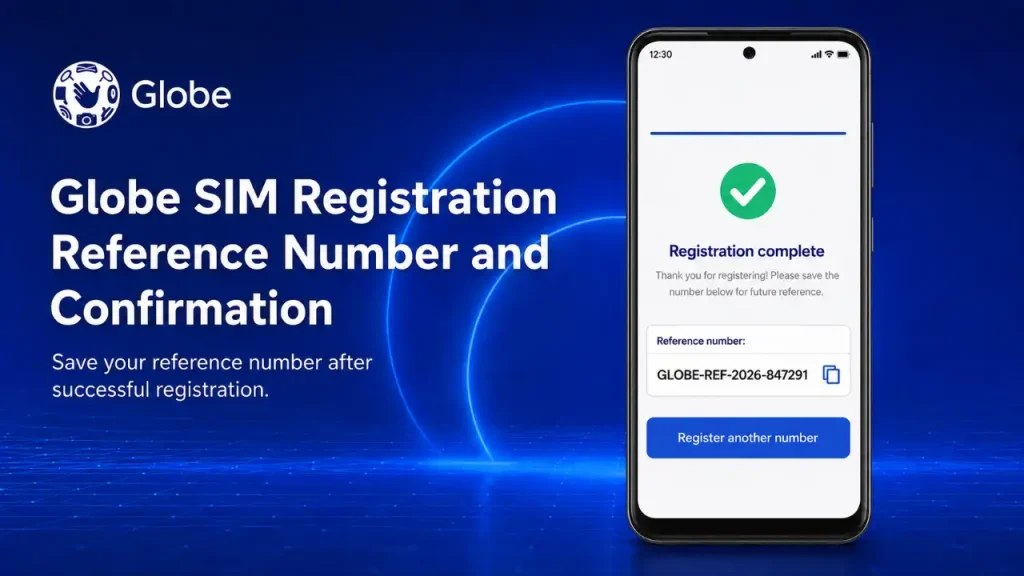
After successfully submitting the registration form, a unique reference number will appear on the screen. It serves as proof that your application was received, so take a screenshot, copy it to a secure location, and keep the confirmation message.
If you lose the reference number or do not receive a confirmation SMS, check your status through the official portal or GlobeOne App. Contact Globe through its official Facebook Messenger or visit a Globe Store if you still cannot confirm the registration.
How To Know if My Globe SIM Card Is Registered?
You can confirm your registration status using any of the following methods:
- Check for a confirmation SMS from Globe.
- Look for the registered badge in the GlobeOne App.
- Enter your number on the official registration portal.
- Contact Globe support or visit a Globe Store.
What to Do If Registration Is Still Pending
A pending status may be caused by delayed verification, heavy portal traffic, mismatched personal information, or unclear ID and selfie images. Check that your details match your ID and confirm that every required step was completed correctly.
If the status does not change, reopen the official portal and check the registration using your mobile number. Keep your reference number ready and contact Globe through its official Facebook Messenger or visit a Globe Store for assistance.
Troubleshooting SIM Registration Issues
Even with a straightforward process, some users may encounter issues while registering Globe SIM. Common issues and their solutions are listed below.
Common Problems and Solutions
OTP Reception Issues
If you don’t receive the OTP, try these solutions:
- Ensure your phone has a strong signal or restart your device.
- Double-check that your mobile number is correctly entered.
- If the OTP expires, you can request a new one by clicking the resend option on the registration form.
Document Upload Failures
If you face issues uploading your ID or selfie, here’s what to do:
- Confirm the file format is correct (usually JPG or PNG).
- Reduce the file size if it exceeds the platform’s upload limit.
- Make sure the photo is clear and well-lit, with all details visible for verification.
Registration Pending or Verification Delayed
If your registration is still pending, try these solutions:
- Check the status through the official portal or GlobeOne App.
- Make sure your personal details match your ID.
- Confirm that your ID and selfie are clear.
- Contact Globe with your reference number if the delay continues.
“SIM Already Registered” Error
If you receive this error, follow these steps:
- Check the number for typing mistakes.
- Verify the status through the GlobeOne App.
- Do not submit another registration form.
- Contact Globe Messenger or visit a Globe Store with your ID.
How to know if my Globe SIM Card is registered?
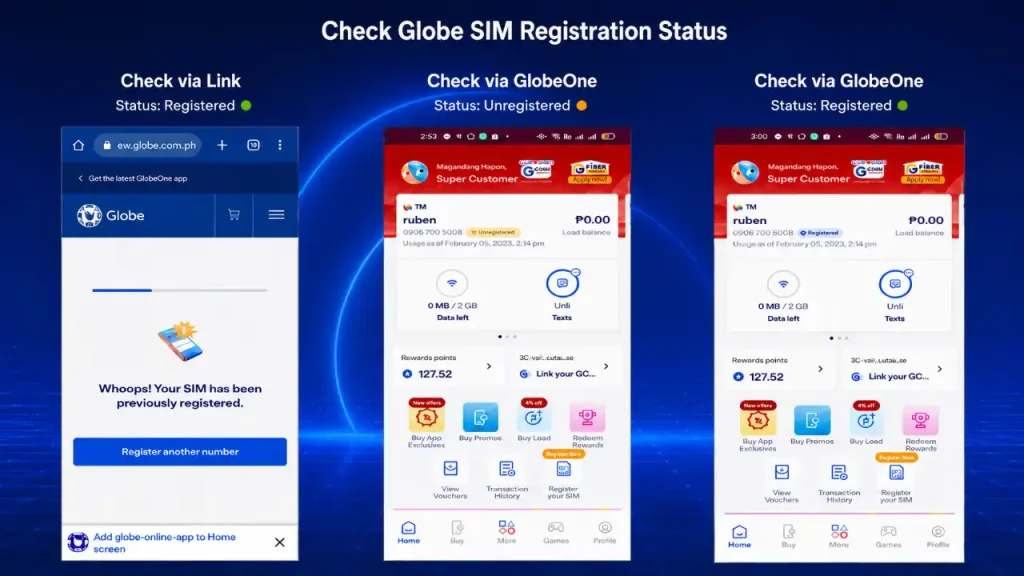
To check if your Globe SIM card is registered, there are three convenient methods: using the GlobeOne app, through the official web portal, or by visiting a physical Globe store. Follow the steps below to verify your registration.
Methods to Check if Your Globe SIM is Registered:
- Via GlobeOne App: Open the app, and next to your Globe number, it will indicate if your SIM is registered or unregistered.
- Via Web Portal: Visit the portal, enter your 10-digit mobile number, and submit the OTP. If already registered, you’ll see the message “Whoops! Your SIM has been previously registered.”
- Via Physical Store: Visit a Globe store and provide your name, address, and ID to check your SIM’s registration status.
Other Methods To Check:
Prepaid users will receive a reference number immediately after successfully submitting the required information during the registration process. This reference number acts as your proof of registration. Make sure to save this number for future reference in case any verification is needed.
For Postpaid Users:
Postpaid users can easily check their SIM registration status by texting “SIMREG” to 8080. Globe will send a confirmation message, notifying you that your SIM card has been registered, ensuring you’re compliant with the SIM Registration Act.
Register Your Globe at Home Prepaid WiFi SIM
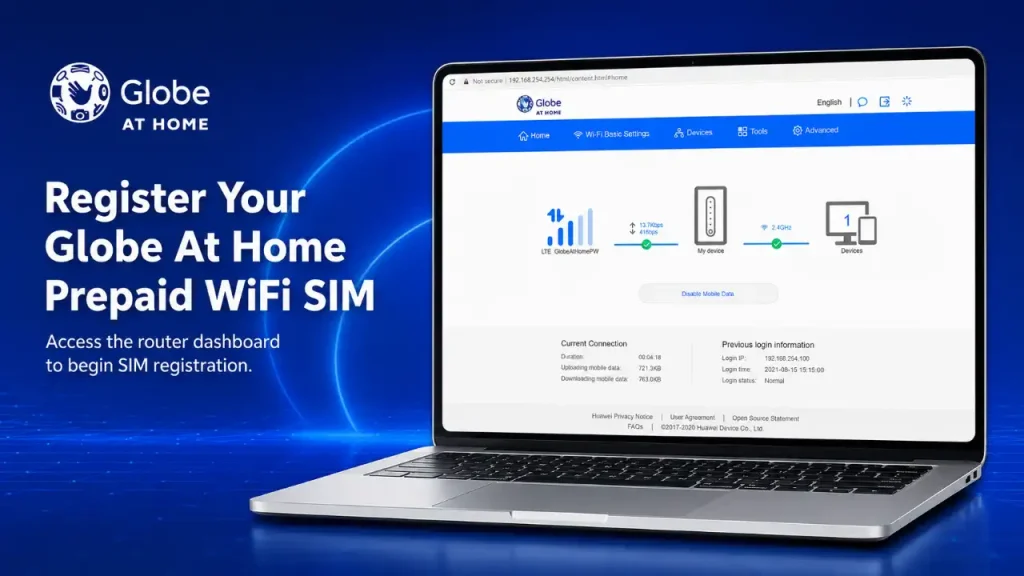
You can register your Globe Prepaid WiFi SIM from home by following these steps:
- Find the WiFi name and password on the router.
- Plug in the router and wait for stable lights.
- Connect your phone or laptop to its WiFi.
- Open
192.168.254.254in your browser. - Sign in using the router’s login details.
- Install the Globe at Home app.
- Open the app and tap Get Started.
- Enter your name, email, number, and birthday.
- Accept the terms and continue.
- Choose from these verification methods:
- Get Code via Mobile Number
- Get Code via Email
- Verify via Modem
- Select Verify via Modem.
- Tap I’m Already Connected.
- Wait for the app to verify your router.
- Create a secure account PIN.
- Personalize your Globe at Home Prepaid WiFi profile.
- Claim the available 10GB data reward.
How To View and Edit Globe SIM Details?
To view and edit your Globe SIM details, visit the Globe SIM registration portal online. Then, follow the steps below to easily update your personal information.
- Go to the official Globe SIM registration website at new.globe.com.ph/simreg.
- Select the “View or Edit Your Details” option located under the “Enter your number” field.
- Input your 11-digit mobile number to move forward.
- Choose the option to “Update Information” to make necessary changes.
- Update details such as your name, ID, address, or other personal information as needed.
- Once your updates are complete, click the submit button.
- You’ll receive a One-Time Password (OTP) on your registered mobile number for verification.
- Enter the OTP to confirm and finalize the changes.
- Your updated information will be saved successfully.
How to Register a SIM for Foreign Nationals and Business Entities
Both foreign nationals and business entities using Globe services in the Philippines are required to follow specific registration guidelines under the SIM Registration Act.
Registration Requirements for Foreigners
Foreign nationals in the Philippines must register their SIM cards with additional documentation:
Registration for Business Entities
For companies or organizations registering SIM cards for business use, the following documents are required:
What Happens to Unregistered SIM Cards?
Unregistered SIM cards face serious consequences under the SIM Registration Act. Here’s what to expect:
- Service Interruption: Initially, unregistered SIM cards will experience temporary disruptions in service, including the inability to make calls, send texts, or use mobile data.
- Permanent Deactivation: Continued non-compliance will lead to the permanent deactivation of the SIM card, resulting in loss of access to the mobile number and associated services.
- Loss of Data: Contacts, messages, and any other data stored on the SIM card will be lost if the card is deactivated.
- Legal Consequences: Persistent failure to register can also lead to legal penalties and fines as per the regulations of the SIM Registration Act.
Also Read: Share-A-Load in Globe
SIM Registration for GCash Users
For GCash users, registering your Globe SIM is crucial as it directly links to your GCash account verification. By registering your SIM, you ensure the continuity of secure financial transactions and access to your digital wallet. Without registration, you may lose access to your GCash services, disrupting essential activities like sending money or paying bills.
Additionally, a registered SIM provides enhanced security for mobile banking and online shopping, safeguarding against identity theft and fraud. With a verified Globe SIM, your GCash account remains protected, allowing you to make seamless payments, shop online, and manage your finances without interruptions or security concerns.
SIM Registration Benefits of Globe Registration GCash Users
Registering your Globe SIM card comes with several advantages, from enhanced security to uninterrupted access to services. Below are the key benefits of completing your Globe SIM registration.
- Enhanced Security: Protects against identity theft and fraud by linking your SIM to verified personal info.
- Uninterrupted Services: Ensures continuous access to calls, texts, data, and GCash by avoiding service deactivation.
- Legal Compliance: Meets the requirements of the SIM Registration Act (RA 11934), preventing legal penalties.
- Improved Communication: Enables better service and support by providing Globe with verified user information.
- Fraud Prevention: Reduces scams and spam as unregistered SIMs can’t be used for illegal activities.
Final Thoughts on Globe SIM registration
Completing your Globe SIM registration is essential for staying compliant with the law and protecting your personal information. By registering, you ensure uninterrupted access to vital mobile services like calls, texts, and financial transactions through platforms like GCash. Whether you’re a new or existing user, taking a few moments to register will keep you connected and secure.